Apple MacBook Air 2026 Keyboard Key Replacement | OEM Fit
No reviews yet
Write a Review
Write a Review
Apple MacBook Air 2026 Keyboard Key Replacement | OEM Fit
- SKU:
- PKEY-US-M425B
APPLE • OEM KEY KIT • SELECT YOUR KEY ABOVE Apple MacBook Air 2026 Keyboard Key Replacement | OEM Fit Replace a missing, damaged, or worn keyboard key without replacing the entire keyboard. Select the exact key you n…
$7.99
✔ What You Get
Key Cap (Exact OEM Match)
Hinge Clip (Matched to Your Model)
Rubber Cup (If Needed)
⚠️ Multiple hinge types exist for this model — we ensure you receive the correct one.
Product Details

APPLE • OEM KEY KIT • SELECT YOUR KEY ABOVE
Apple MacBook Air 2026 Keyboard Key Replacement | OEM Fit
Replace a missing, damaged, or worn keyboard key without replacing the entire keyboard. Select the exact key you need above, confirm the model-specific details below, and restore the original look and feel of your keyboard.
✓ Genuine OEM PartsFactory-original components provide the proper appearance, attachment points, and fit.
✓ Complete Key KitA standard key order includes the keycap, matching hinge clip, and rubber cup when needed.
✓ Exact Key SelectionChoose the letter, number, symbol, function key, arrow, or larger key required.
✓ Repair One KeyReplace only the damaged part instead of purchasing and installing a full keyboard.
Confirm the Model, Hinge Style, and Layout
Keyboard manufacturers may use more than one hinge mechanism or layout within a product family. Compare your original key and hinge clip with the model-specific images below. If the shape or attachment points differ, contact us before ordering.
Verify. Select. Repair.
1
Confirm CompatibilityVerify the keyboard model, year, layout, and hinge style using the reference details below.2
Select Your KeyUse the “Select Your Key” menu above to choose the exact key needed.3
Install the Key KitCarefully position the rubber cup and hinge clip before pressing the replacement keycap into place.Compatibility and Fitment Reference
Review the model-specific information and images below before ordering. Compare the key shape, hinge mechanism, printed character, and keyboard layout with your original parts.
Missing, broken, or damaged a key on your Apple MacBook Air (2026)? There’s no need to replace the entire keyboard. Our OEM-style replacement keyboard keys are designed to match the original Apple look, feel, and fit, restoring your keyboard quickly and affordably.
Each replacement key is precision-matched to the factory keyboard used on the 2026 MacBook Air, ensuring smooth keystrokes, proper alignment, and reliable snap-in installation.
Compatible With:
-
MacBook Air 13-inch (M4, 20226)
-
MacBook Air 15-inch (M4, 2026)
✅ What You’ll Receive
-
1 Replacement Keycap
-
1 Matching Hinge Clip (Scissor Mechanism)
-
1 Rubber Cup (if required by your keyboard version)
(Larger keys such as Space Bar, Enter, Shift, and Backspace include the correct stabilizers where applicable.)
✅ Compatibility
-
Laptop Model: Apple MacBook Air (2026)
-
Keyboard Type: Backlit Magic Keyboard
-
Layout: US English (QWERTY)
-
Key Finish: Matched to original Apple key texture and color
We are a proud American company since 2005. All of our products are packaged and shipped from Orange County, Ca.
1. Identify Hinge Clip Style
The hinge clip is the plastic scissor clip that swivels up and down underneath the keyboard key cap. It is usually either black or white and functions as the part that holds the back of he key to the keyboard.
Manufacturers often use different keyboard vendors during production and each vendor has its own unique type of hinge clip. Compare the chart and identify the version that matches. You will fill this info in Step 2 above.
Hinge Clips are not Universal so if your hinge clip does not match, please Contact Us for help.
| Type | Regular Key: A B C & 1 2 3 | Large Key: Caps Enter | Small Key: Arrow Keys |
| Hinge Clip |  |  |  |
2. Confirm Keyboard Layout and Language
Below is an actual picture of the keyboard. Please confirm that the layout matches as well as the language.
NOTE:The default color of the keyboard we show is black. If your model comes in different colors and we have it in stock, it will be available in the color section above.
INTERNATIONAL CUSTOMERS: Our standard keyboard layout is QWERTY (shown below). If you have a different language layout the key cap and hinge clips are still interchangeable. If the key cap shape does not match or you require a different language layout please contact us before ordering.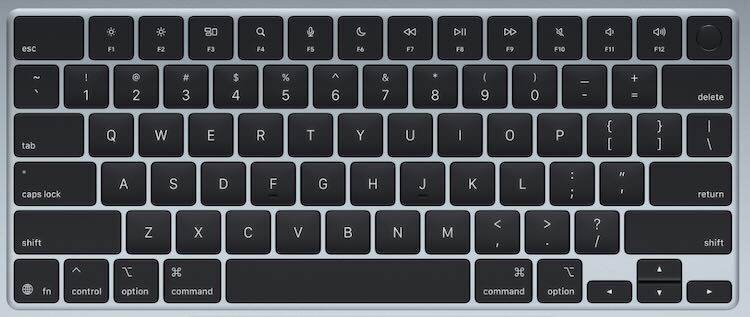
Why Order From Laptop Key Replacements?
Factory-Original PartsNew OEM keyboard components
Fitment SupportContact us when you are unsure
Installation GuidanceHelpful ordering and repair resources
Serving Customers Since 2005Packaged and shipped from Orange County, California
Need Help Removing or Positioning the Parts?
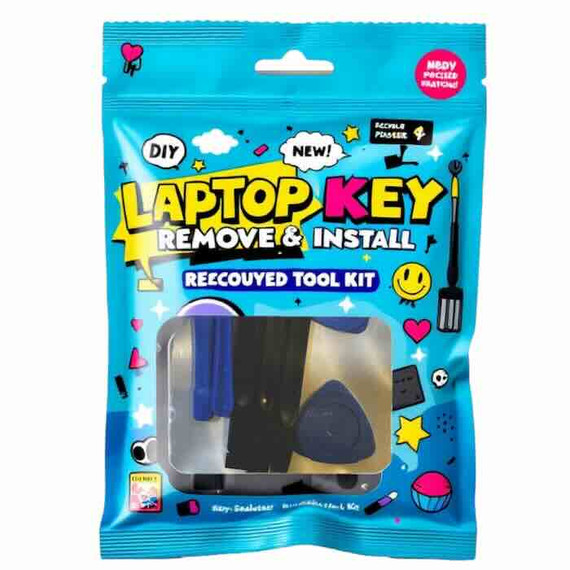
Add the optional keyboard key removal and repair tool kit above. The non-marring tools can make keycap removal, hinge-clip positioning, and rubber-cup work easier. Only one tool kit is normally needed per order.
Replace the Key—Not the Entire Keyboard
Confirm the model and layout, select the key you need, and order the matching OEM replacement kit.
SELECT MY KEY AND ADD TO CARTOEM keycap • Matching hinge clip • Rubber cup when needed

Apple MacBook Air 2026 Keyboard Key Replacement | OEM Fit
$7.99
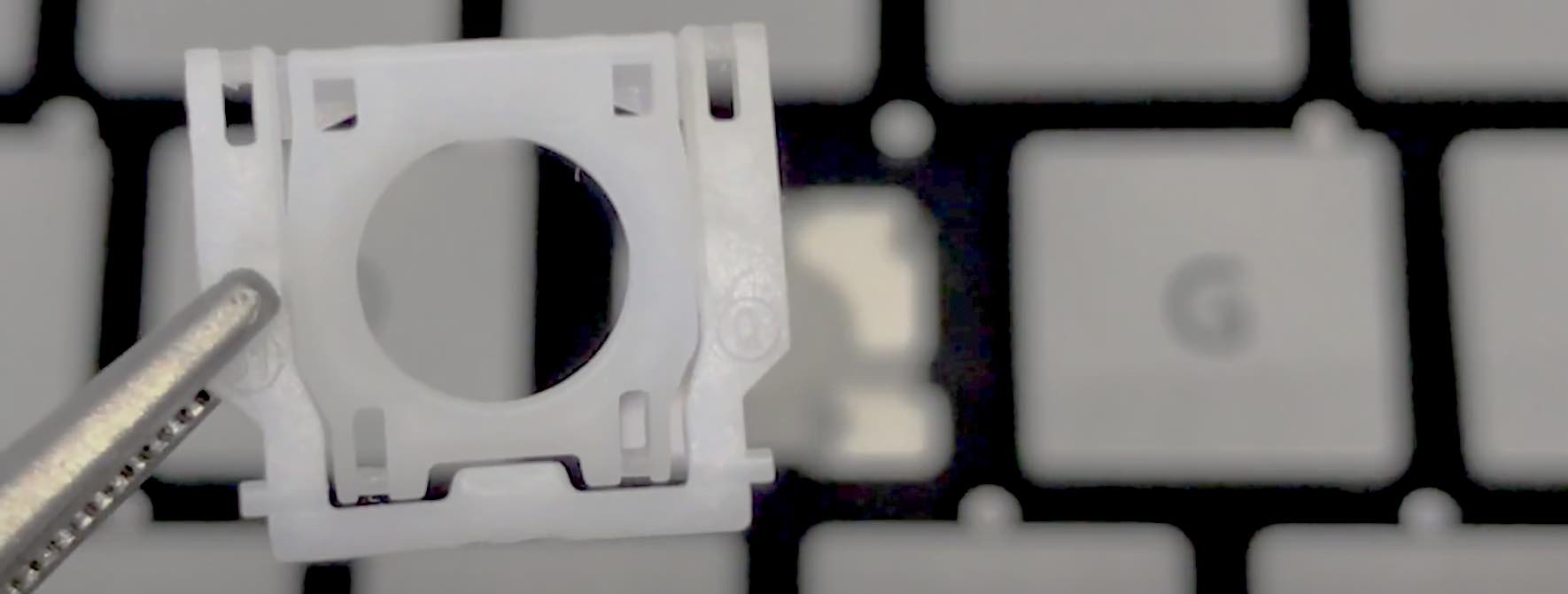
Video Installation Guide
#soeasy2install
Laptop key installation are so simple a kid can do it. Follow our FREE & EASY video guides.
Installation Videos