
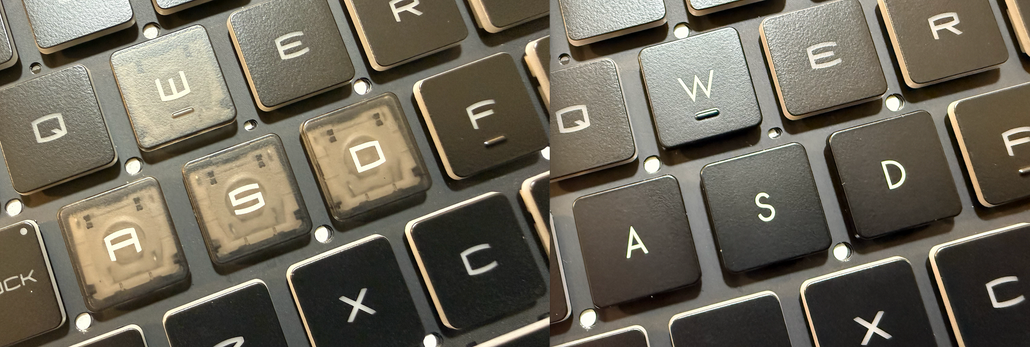
Fixing the MSI Katana Keyboard: Replacing Clear / Translucent WASD Keys (A15, A17, GF Series)
Posted by laptopkeyreplacements.com on 9th Jan 2026
Fixing the MSI Katana Keyboard: Replacing Clear / Translucent WASD Keys (A15, A17, GF Series)
MSI Katana gaming laptops—including the Katana A15, Katana A17, and Katana GF series—are known for performance and aggressive styling. One keyboard design choice, however, often frustrates users: the clear, translucent, or see-through W, A, S, and D keys.
While these keys are meant to stand out for gaming, many users find that the clear WASD keys become distracting over time, especially during long gaming sessions or when using the laptop in darker environments.
Real Example: Clear / Translucent WASD Keys on MSI Katana
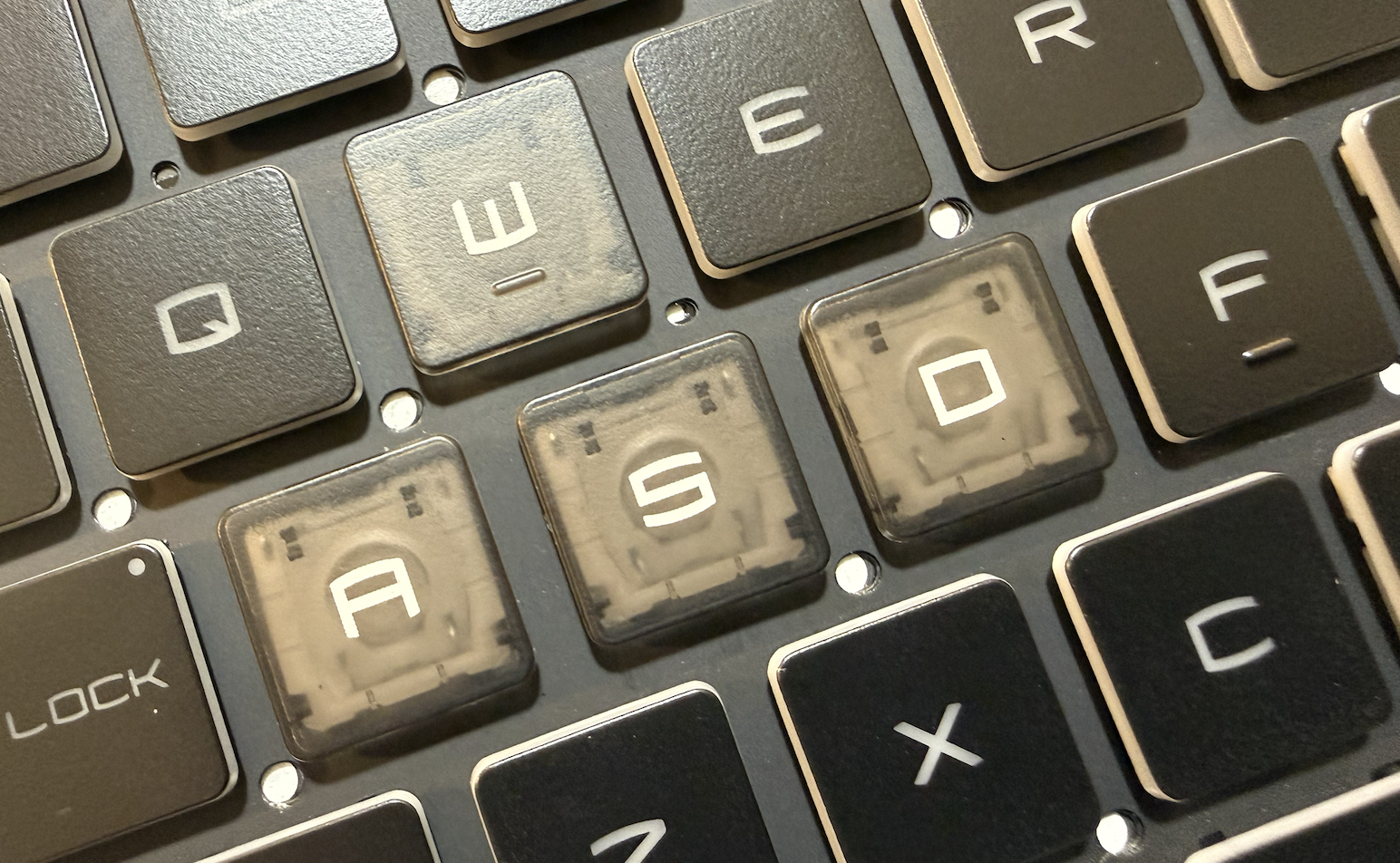
Factory clear / translucent WASD keys on an MSI Katana keyboard allow uneven light bleed and visual distraction.
In the photo above, you can clearly see how the transparent or translucent WASD keys allow internal light and structure to show through. Compared to the surrounding keys, these clear keys appear brighter and visually inconsistent.
Common complaints we hear from MSI Katana users:
-
Clear or see-through keys glow more than the rest of the keyboard
-
Uneven backlight bleed through transparent plastic
-
Visual distraction during FPS or competitive gaming
-
Fingerprints and wear show more easily
-
Preference for a uniform, all-black keyboard
The Simple Fix: Solid Black WASD Key Replacements
Instead of replacing the entire keyboard, a simple and affordable solution exists.
We offer solid black W, A, S, and D replacement keys designed specifically to replace the factory clear, translucent, or see-through WASD keys found on MSI Katana laptops.
These black WASD keys are:
-
Fully compatible with MSI Katana A15
-
Fully compatible with MSI Katana A17
-
Fully compatible with MSI Katana GF series
-
OEM-style for proper fit, texture, and snap-on installation
-
Designed to eliminate unwanted light bleed
Side-by-Side Result: Black WASD Keys Installed
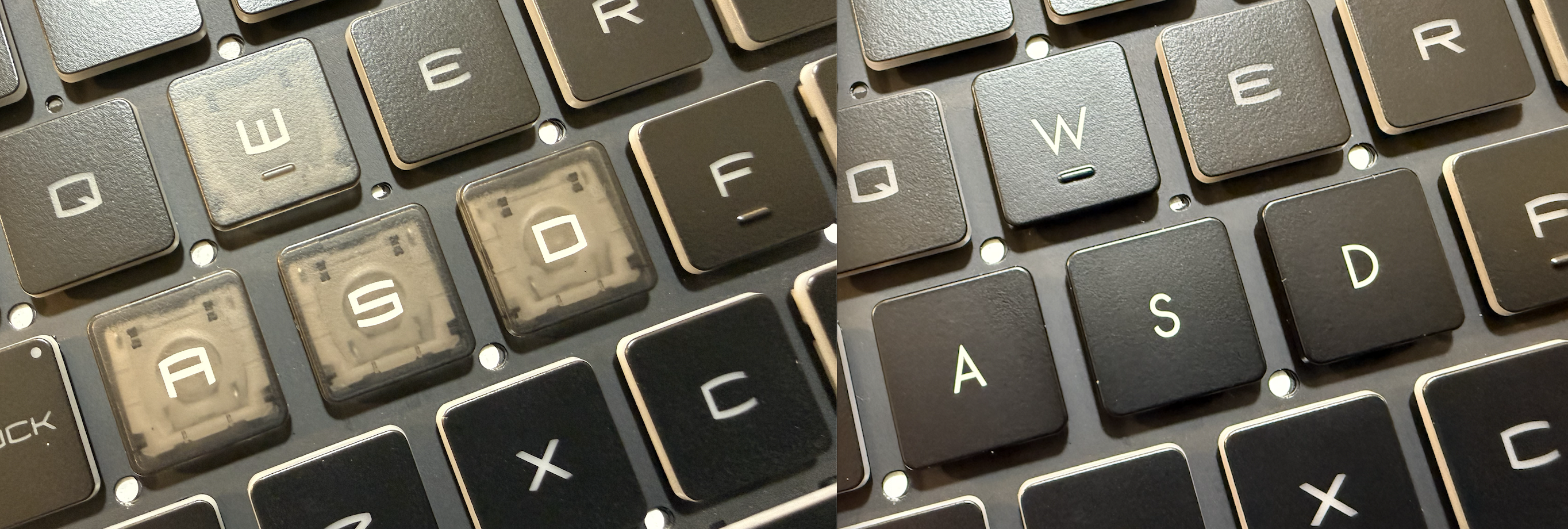
Solid black WASD keys installed on an MSI Katana keyboard for a clean, uniform, distraction-free look.
As shown above, replacing the clear keys with solid black WASD keys instantly restores a clean, consistent appearance. The keyboard looks uniform, stealthy, and far less distracting—especially under backlighting.
Will Replacing WASD Keys Affect Gaming Performance?
No. These are OEM-style replacement keys, meaning:
-
Same scissor-switch mechanism
-
Same key travel and responsiveness
-
No change to typing or gaming performance
This upgrade is purely about comfort and aesthetics, not functionality.
Easy DIY Installation (No Special Tools)
Replacing WASD keys on MSI Katana A15, A17, or GF series laptops is quick and beginner-friendly.
Installation overview:
-
Gently remove the existing clear keycap
-
Align the black replacement key
-
Press until it snaps securely into place
Most users complete the entire WASD swap in under 1 minutes.
Who This Upgrade Is Perfect For
This black WASD replacement is ideal if you:
-
Dislike clear, translucent, or see-through WASD keys
-
Want a clean, uniform MSI Katana keyboard
-
Game in low-light environments and want less glare
-
Stream and want a cleaner on-camera keyboard look
-
Are already replacing worn or damaged WASD keys
Small Change, Big Improvement
Keyboard comfort is personal. If the clear or translucent WASD keys on your MSI Katana A15, A17, or GF serieslaptop bother you—even slightly—switching to solid black WASD keys is a simple, affordable upgrade that makes a noticeable difference immediately.
If you’re unsure which hinge style your keyboard uses, our team can help confirm compatibility before shipping.