

HP OmniBook X Flip 16 Keyboard Key Replacement

- SKU:
- HPKEY-US-OMNIX16
HP OmniBook X Flip 16 Keyboard Key Replacement This is an OEM-quality replacement keyboard key designed specifically for the HP OmniBook X Flip 16 laptop. It’s the perfect solution for fixing a…
$9.99
Product Details
HP OmniBook X Flip 16 Keyboard Key Replacement
This is an OEM-quality replacement keyboard key designed specifically for the HP OmniBook X Flip 16 laptop. It’s the perfect solution for fixing a missing, broken, or damaged key without the cost and hassle of replacing the entire keyboard assembly.
Each replacement key is made to match the original key’s size, shape, and feel, restoring normal typing function while keeping your keyboard looking uniform and factory-correct.
What’s Included
-
Replacement keycap
-
Compatible hinge clip (as required for installation)
-
Rubber cup (if applicable to your keyboard type)
No soldering or technical experience required.
Compatibility & Important Notes
⚠️ Please note: HP may use multiple hinge clip styles for the same laptop model. To ensure compatibility, we strongly recommend verifying your hinge type before ordering.
We are a proud American company since 2005. All of our products are packaged and shipped from Orange County, Ca.
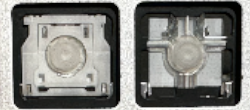
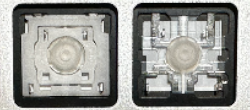
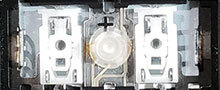
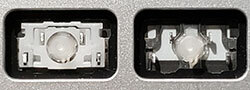
1. Identify Hinge Clip Style
The hinge clip is the plastic scissor clip that swivels up and down underneath the keyboard key cap. It is usually either black or white and functions as the part that holds the back of he key to the keyboard.
Manufacturers often use different keyboard vendors during production and each vendor has its own unique type of hinge clip. Compare the chart and identify the version that matches. You will fill this info in Step 2 above.
Hinge Clips are not Universal so if your hinge clip does not match, please Contact Us for help.
|
Type
|
Regular Key: A B C & 1 2 3
|
Large Key: Caps Enter
|
Small Key: Esc F1 F2
|
|
HPS26 - 24
|
 |
 |
 |
|
HPS26 - 25
|
 |
 |
 |
2. Confirm Keyboard Layout and Language
Below is an actual picture of the keyboard. Please confirm that the layout matches as well as the language.
NOTE:The default color of the keyboard we show is black. If your model comes in different colors and we have it in stock, it will be available in the color section above.
INTERNATIONAL CUSTOMERS: Our standard keyboard layout is QWERTY (shown below). If you have a different language layout the key cap and hinge clips are still interchangeable. If the key cap shape does not match or you require a different language layout please contact us before ordering.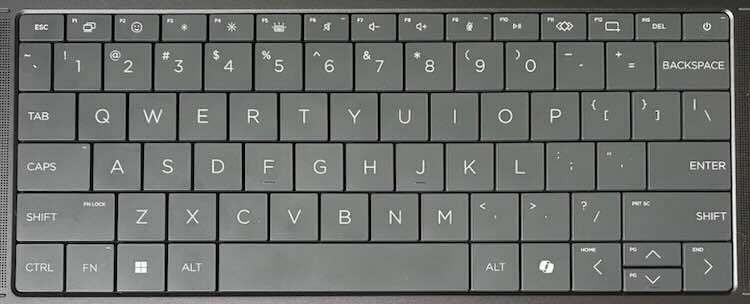


HP OmniBook X Flip 16 Keyboard Key Replacement
$9.99
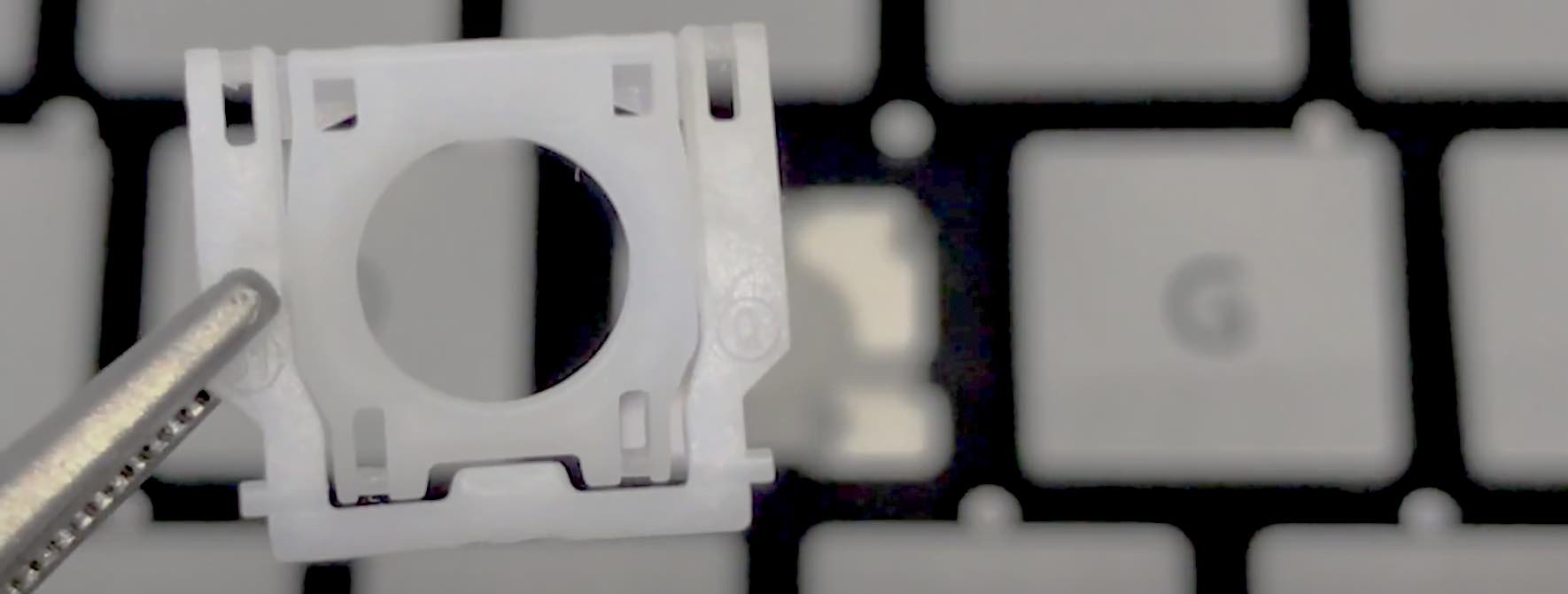
Video Installation Guide
#soeasy2install
Laptop key installation are so simple a kid can do it. Follow our FREE & EASY video guides.
Installation Videos


Related Products


Laptop Keyboard Key Cleaning Gel - Super Effective & No Mess!
Laptop Keyboard Key Cleaning Gel - Super Effective & No Mess! A cleaning gel that cleans off debris, dust particles, hair, and unwanted gunk from around the keyboard,...
$3.99